Download performance reviews as PDF
Export every submitted review of a SimplePerf cycle as PDF files in a single ZIP, to archive them or share them during a 1:1 or a performance talk.
SimplePerf admins can download all the submitted reviews of a cycle at once: one PDF per review, bundled in a single ZIP file.
Step 1: Open the cycle#
Go to Admin › Cycles and open the cycle.
Step 2: Download#
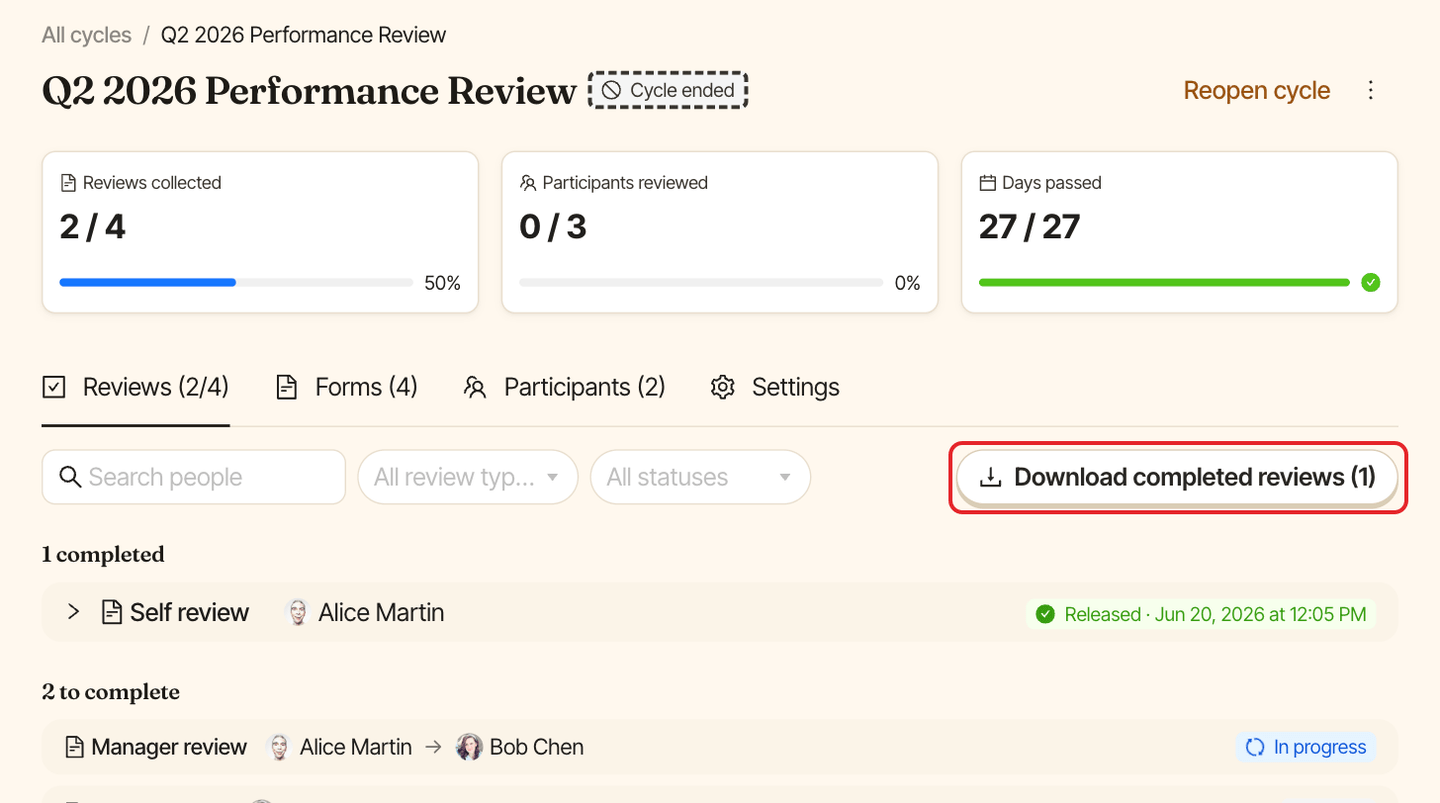
In the Reviews tab, click Download completed reviews. The number on the button counts the reviews in the Completed group.
What's in the file#
- One PDF per submitted review, named after the person reviewed, the review type and the reviewer, for example
JaneDoe_PEER_JohnSmith.pdf. Self reviews have no reviewer in the name, and manager reviews useDOWNWARD. - Each PDF starts with a summary: who the review is for, the reviewer, the review type, the cycle and when it was submitted (in your company's timezone).
- Then every question with its answer, including comments. Unanswered questions show "NO ANSWER".
Reviews that haven't been submitted yet aren't included. Download again once more reviews are in.