Manage your performance review cycles
Find, rename, duplicate, archive and restore SimplePerf review cycles from the admin cycles list, to reuse last quarter's setup or tidy up past cycles.
All your SimplePerf review cycles live under Admin › Cycles, where admins can find, rename, duplicate, archive and restore them.
Find a cycle#
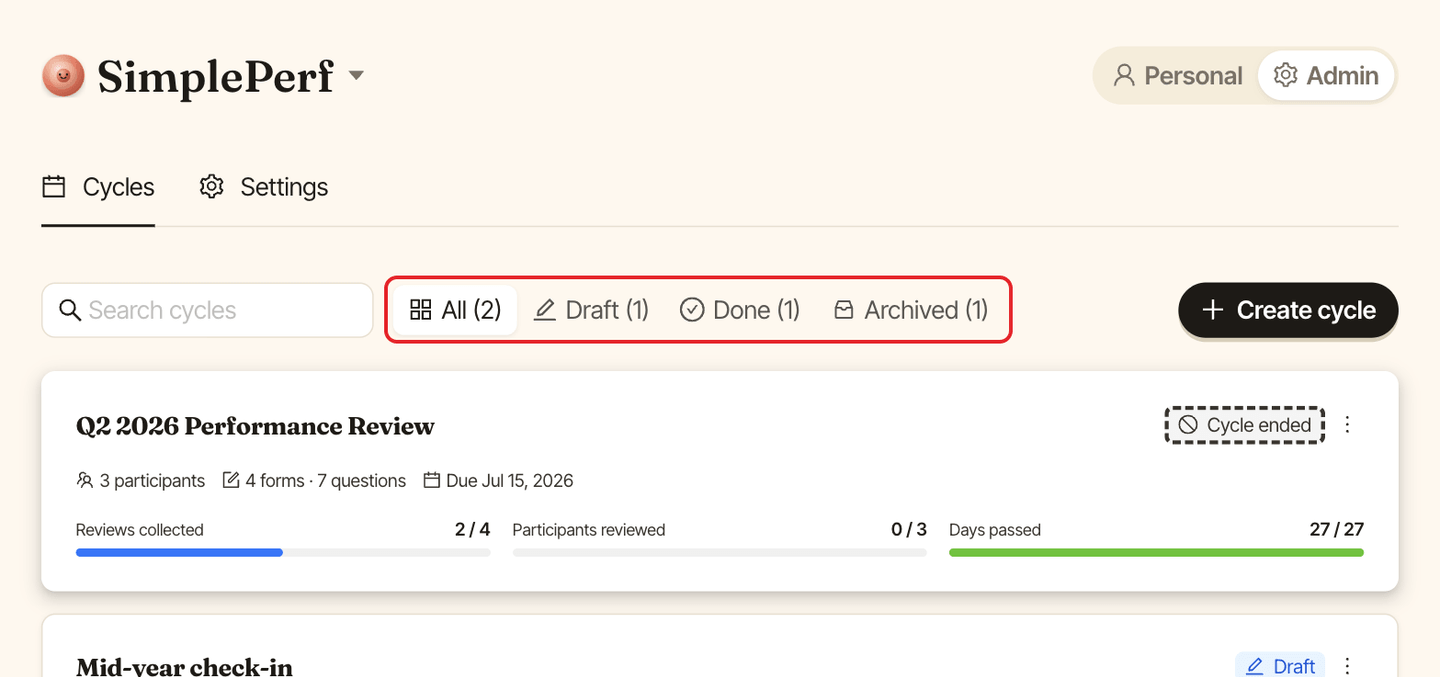
Filter cycles by status with All, Live, Scheduled, Draft, Done and Archived. Each filter shows how many cycles it holds, and only filters with cycles appear. Use Search cycles to find one by name.
Rename, duplicate or archive#
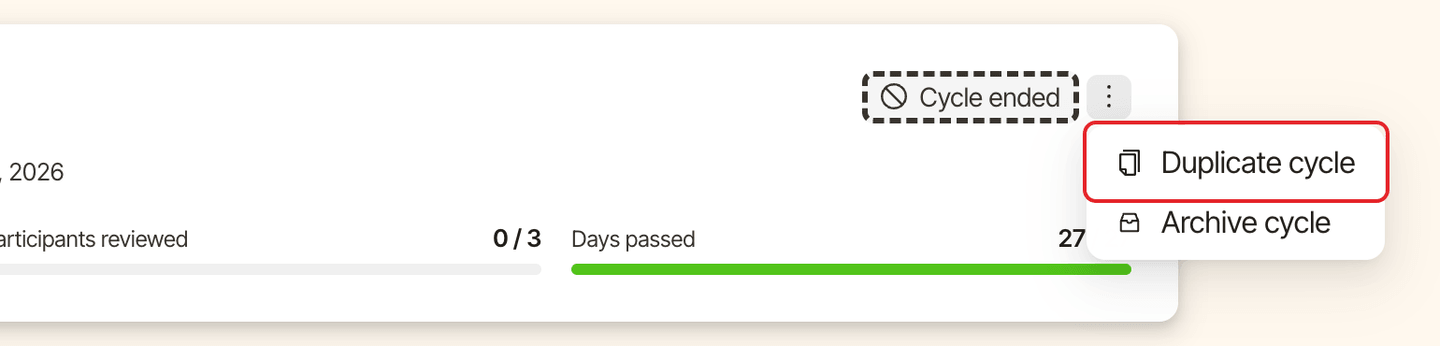
Open a cycle's ⋮ menu, in the cycles list or at the top of the cycle:
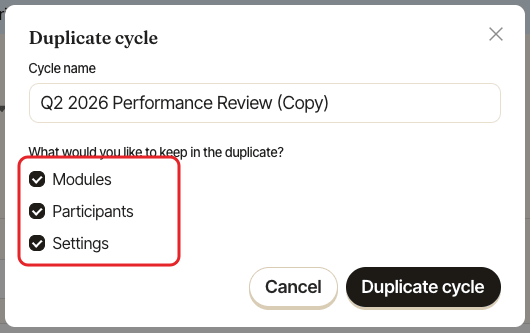
Rename cycle: change its name. Only for drafts.Duplicate cycle: create a draft copy named "(Copy)". UnderWhat would you like to keep in the duplicate?, chooseModules(the forms and questions),ParticipantsandSettings(visibility, managers review last and notifications). Handy for your next quarter.Archive cycle: move it out of your active list. You can still find it underArchived. An archived cycle is hidden from participants and can't be edited or sent.Restore cycle: bring an archived cycle back.