Get AI feedback on your performance review answers
Use the SimplePerf AI coach to make your written performance review feedback clearer, more specific and more useful before you submit it.
SimplePerf's AI coach reads your draft answer to an open-ended question, suggests how to make it more specific and actionable, and rates it, so your feedback is useful before you submit it.
Step 1: Write your answer#
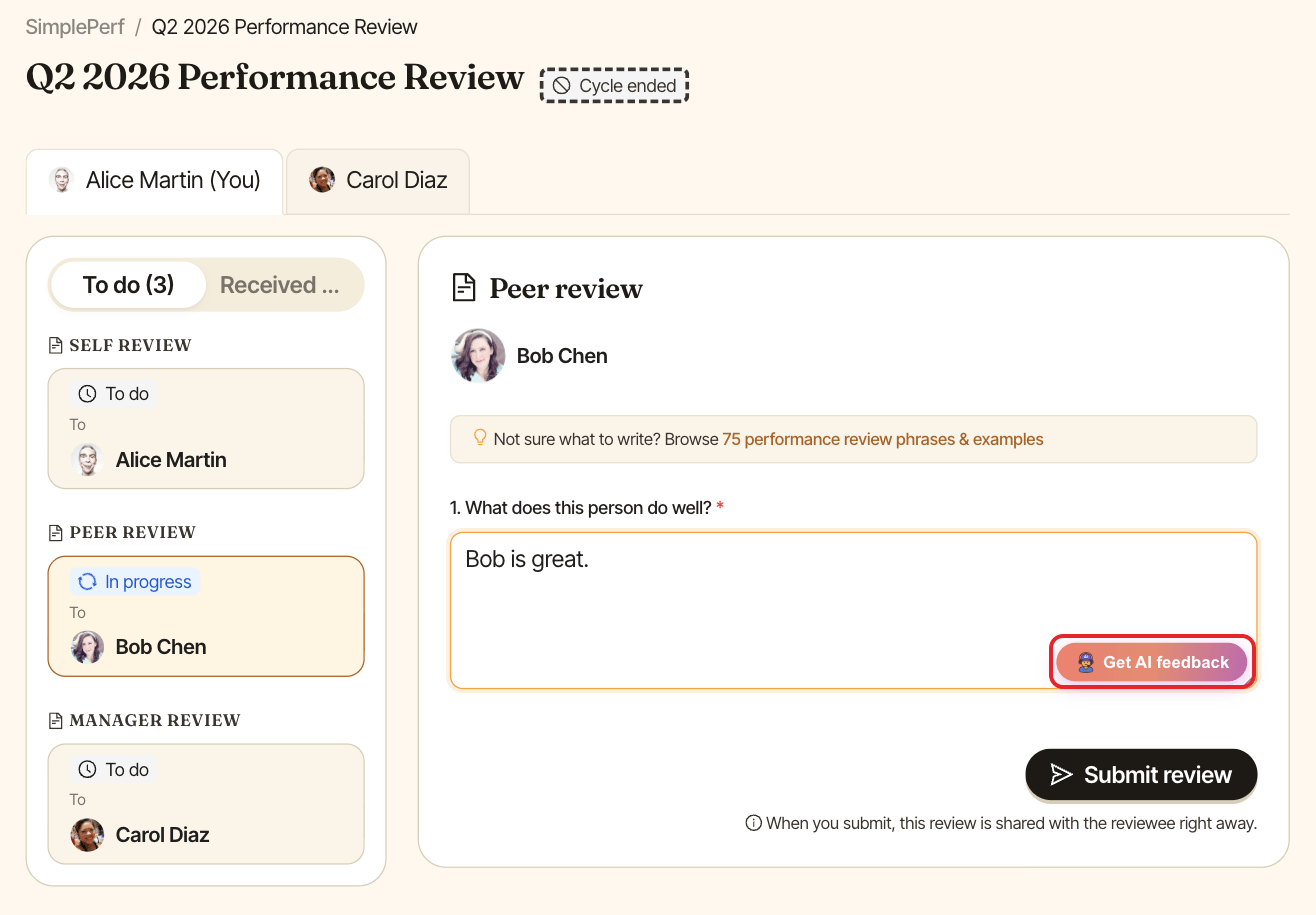
Write a first version of your answer to an open-ended question, even a rough one. The button stays disabled while the answer is empty.
Step 2: Ask for feedback#
Click Get AI feedback under the answer.
Step 3: Read the suggestion#
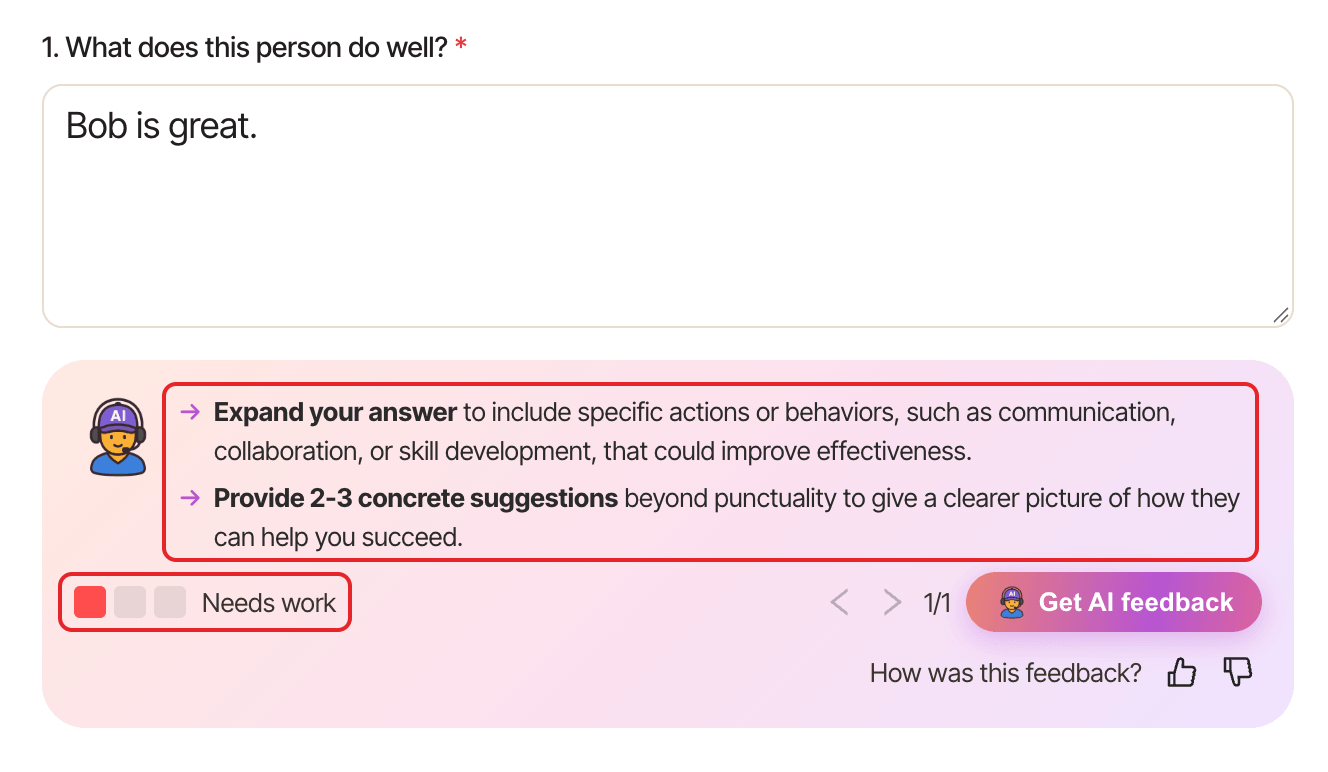
The coach suggests how to improve your answer and rates it:
- Excellent!: your answer is clear and useful.
- Can improve: a few changes would help.
- Needs work: worth rewriting with the suggestions.
Update your answer, then click Get AI feedback again as often as you like. Use the arrows to go back to earlier feedback on the same question.
Tell us if it helped#
Under How was this feedback?, click thumbs up or thumbs down. It helps us improve the coach.