Answer a Stany standup from the web dashboard
See your own Stany standup reports on the BuddiesHR web dashboard and submit or edit your answers there, with the answer posted to the Slack thread.
 SlackUpdated Oct 5, 20261 min read
Everyone who takes part in a Stany standup can see their own reports on the BuddiesHR web dashboard and answer them there instead of in Slack. Your answer is posted in the Slack channel thread, just like an answer sent from Slack.
Step 1: Open My check-ins#
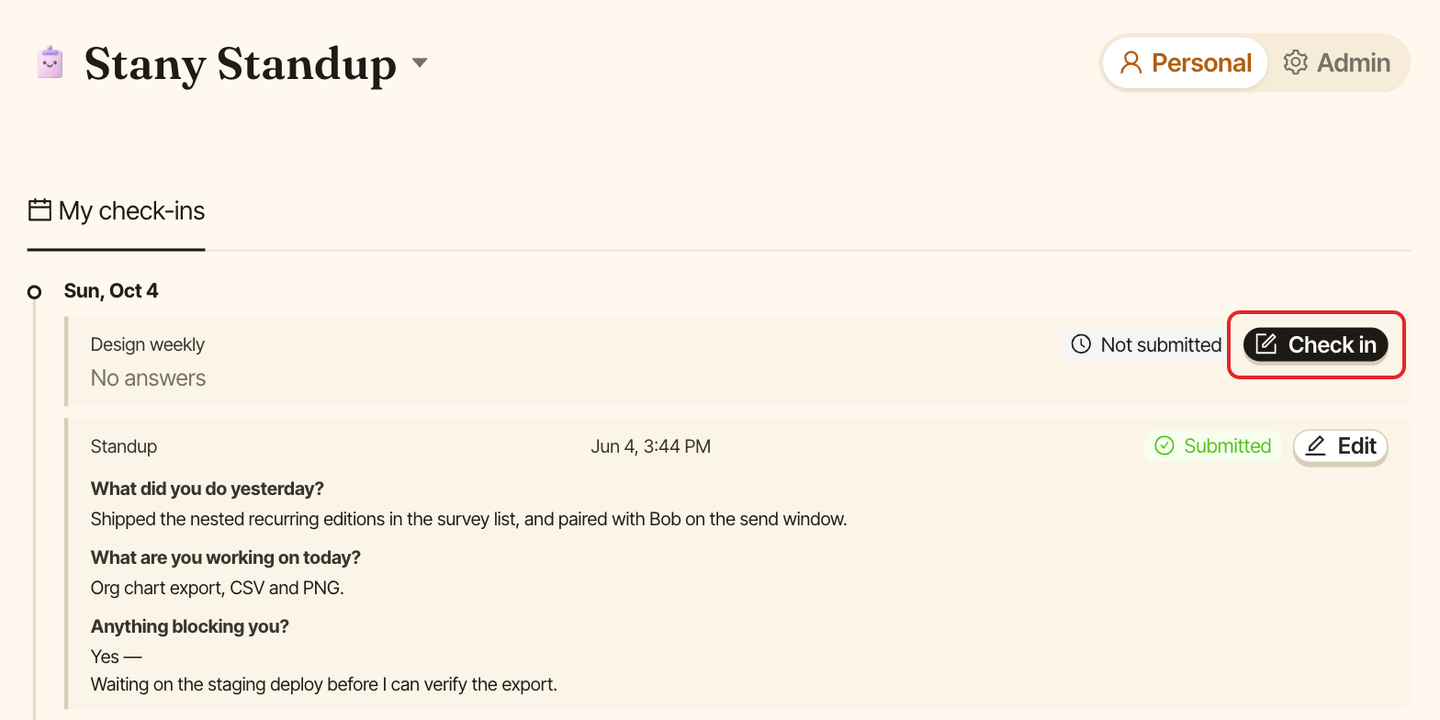
Go to dashboard.buddieshr.com and open Stany. If you're an admin, switch to Personal at the top of the page. The My check-ins tab lists your 20 most recent reports by day, with their status: Submitted, Skipped or Not submitted.
Step 2: Fill in your answers#
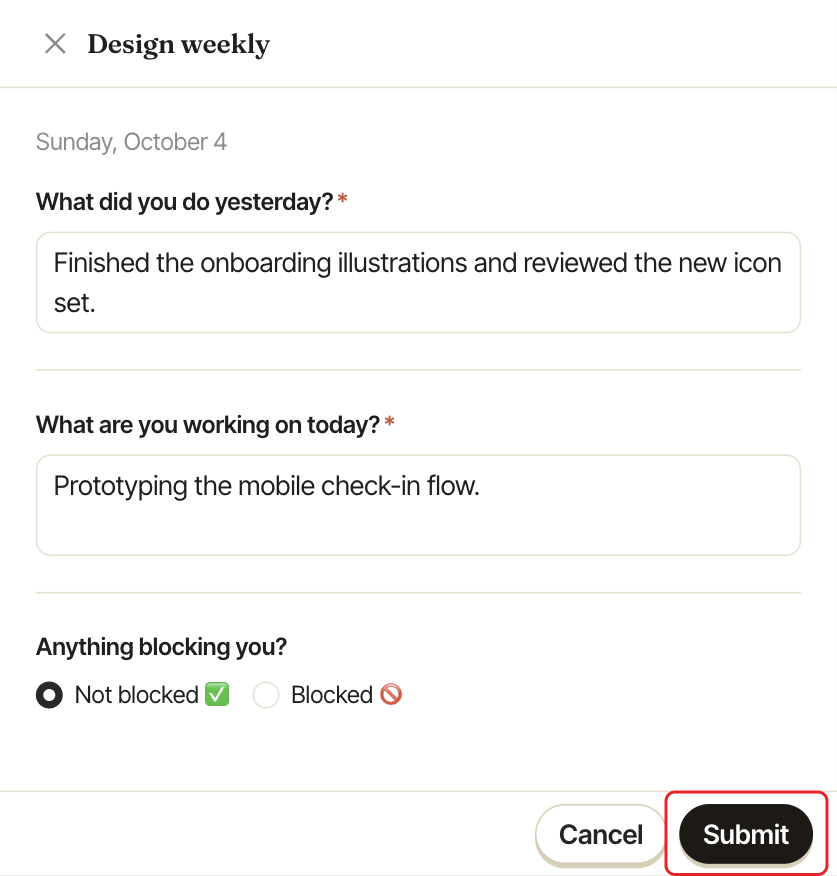
Click Check in on the report. The button only shows until the report's deadline. A panel opens with the standup's questions:
- for a mood question, pick your mood and add a few words if you like,
- for a blocker question, choose
Not blocked ✅orBlocked 🚫, and describe the blocker if you're blocked, - for the other questions, type your answer.
Answer all required questions, then click Submit.
Edit an answer#
Before the report expires, click Edit on it, change your answers and click Update. Submitting again replaces your previous answers.
Differences with Slack#
- Answers are plain text: no bold, lists or mentions.
- The "what did you accomplish" question isn't pre-filled.
- You can't skip a standup from the web. Skip it in Slack instead. You can still answer a report you skipped, which replaces the skip.