Get started with Stany, the async standup bot for Slack
Install Stany in Slack, set up your first async standup on the BuddiesHR web dashboard, and let Stany collect your team's daily updates.
 SlackUpdated Oct 8, 20262 min read
To start Stany, the BuddiesHR async standup bot for Slack, install it in your Slack workspace, fill in the Setup Stany form on the web dashboard, and Stany runs your standup automatically on the days and time you picked. It takes about two minutes.
Step 1: Install Stany#
Go to the Get started page and click Add to Slack on the Stany card. On the Stany page, Start free in Slack takes you there too. Check that the right workspace is selected, then click Allow.
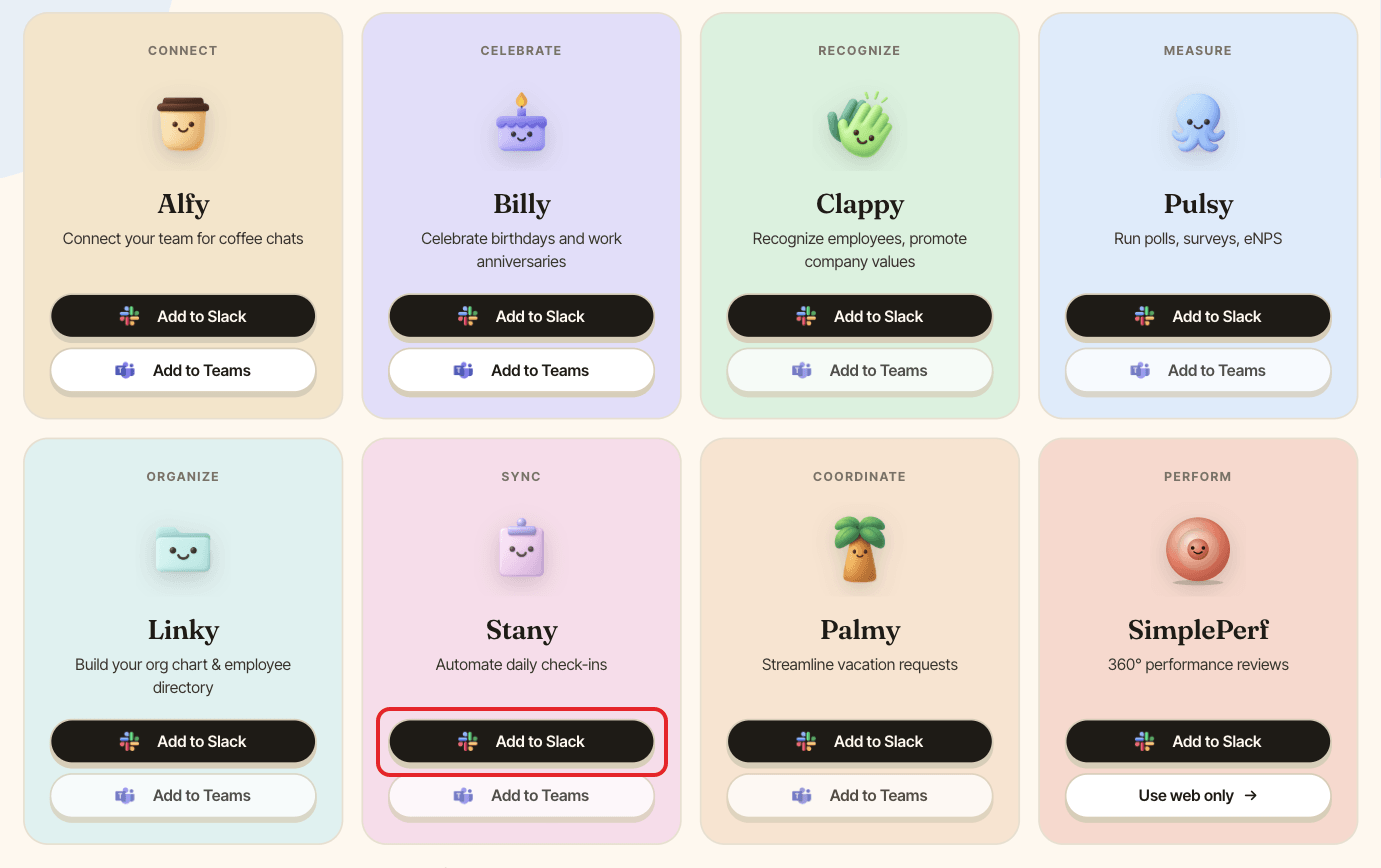
The person who installs Stany becomes its first admin (see Manage Stany admins).
Step 2: Set up your first standup#
After the install, you land on the Setup Stany page of the web dashboard (dashboard.buddieshr.com). Fill in:
| Field | Default |
|---|---|
Name |
Standup (up to 100 characters) |
In which channel would you like to collect standup reports? |
none |
On which days? |
Monday to Friday |
At what time? |
9:00 AM, in 15-minute steps |
Timezone |
your browser's timezone |
When should standup reports be submitted? |
Within 1 day (24 hours) |
Send personal reminders after: (optional) |
30 minutes |
Questions |
mood, what you accomplished, what's next, blockers |
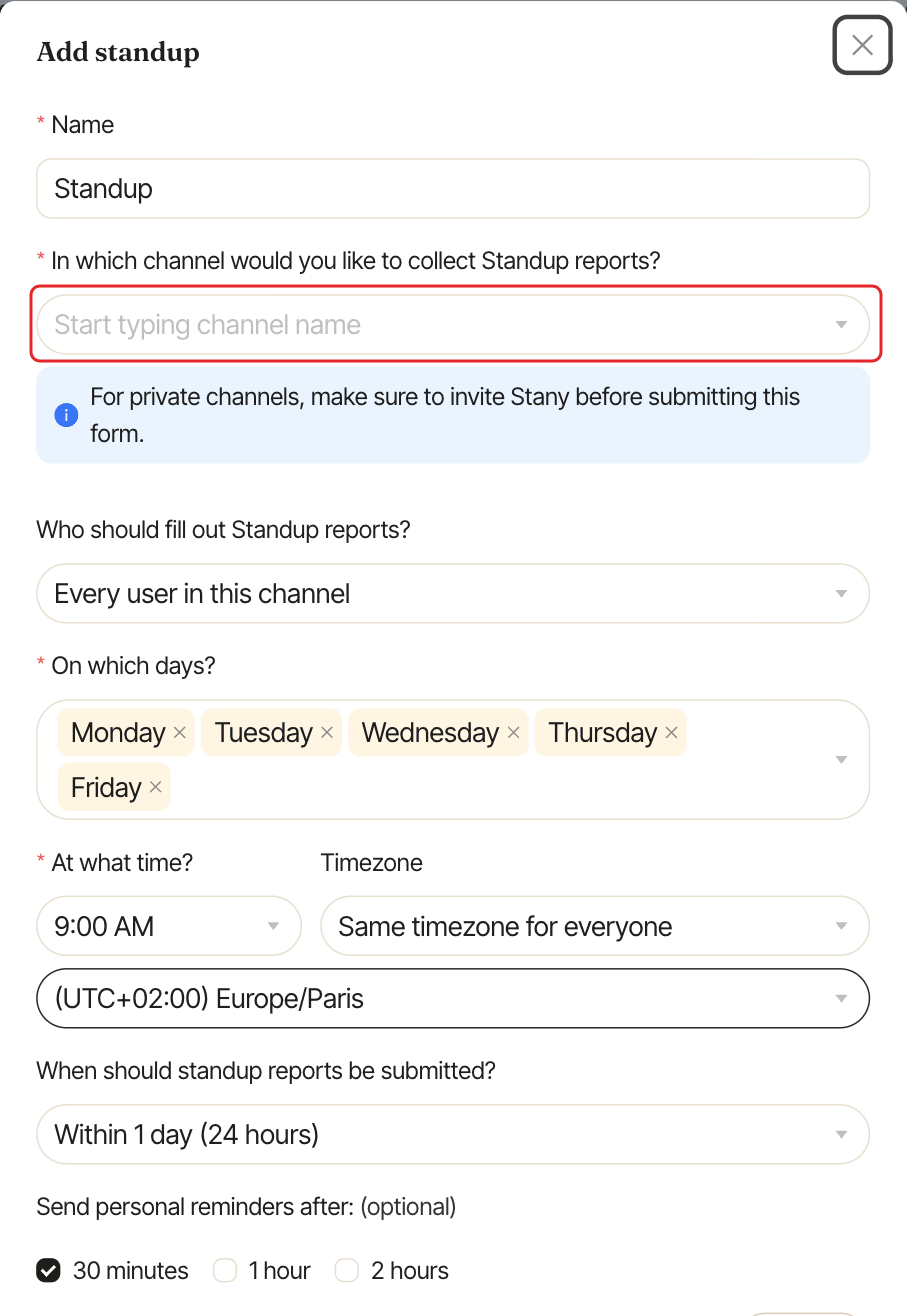
Everyone in the channel takes part. To change the questions now, click Edit next to Questions (see Edit standup questions). You can narrow the list of participants or switch to each person's own timezone later from the dashboard (see Set up a standup).
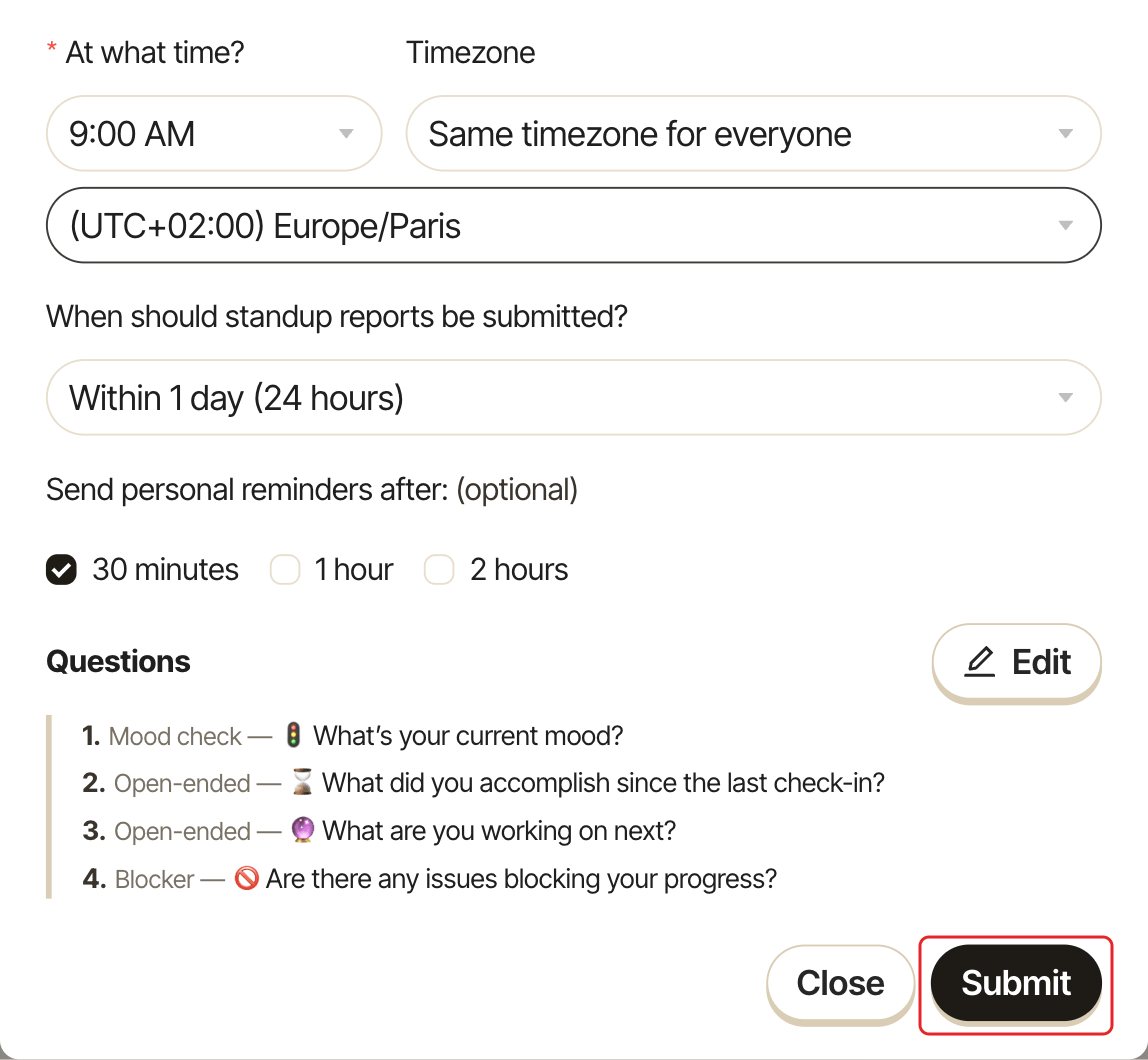
Click Submit. A confirmation says "Congrats! Your first standup is set up".
Step 3: Let Stany run#
At the time you picked, Stany:
- posts in the channel, asking everyone if they're ready to fill out the report, with a live summary,
- sends each participant a direct message with
✍️ Fill out nowand⏩ Skip, - adds each answer as a thread reply under the channel post, under the person's own name and photo.
See Answer a standup and Read the channel summary.