Read Stany's daily standup summary in Slack
Understand Stany's daily Slack channel post, with a live summary of responses, blockers, team mood and who is pending, and everyone's answers in its thread.
 SlackUpdated Oct 8, 20261 min read
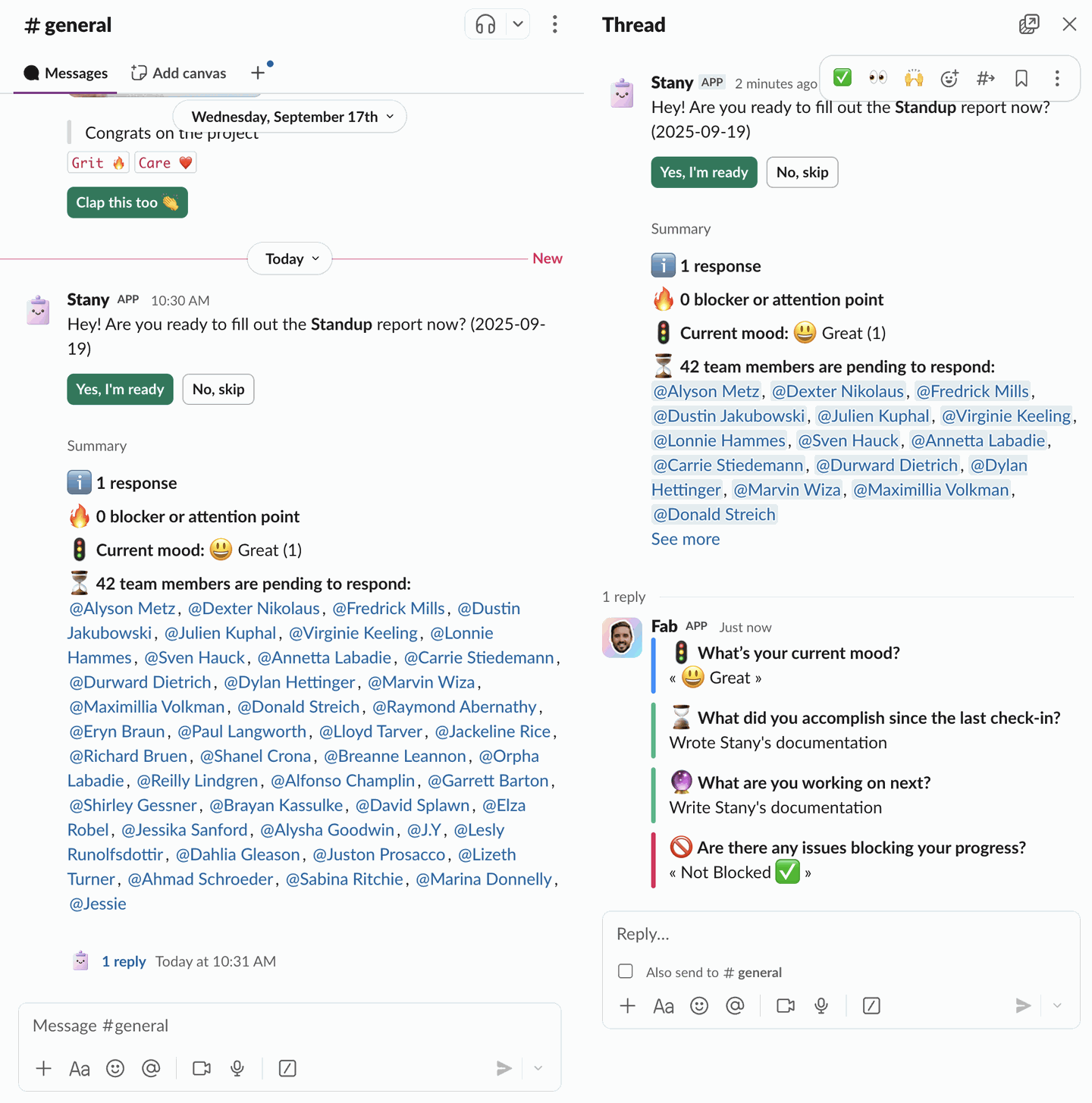
Each day a standup runs, Stany, the BuddiesHR async standup bot for Slack, posts one message in the standup's channel. That message holds a live summary of responses, blockers, moods and pending people that updates every time someone answers or skips, and everyone's answers are in its thread.
The daily post#
At the standup time, Stany posts "Hey! Are you ready to fill out the Standup report now?" with the standup's name and the day's date, plus two buttons:
Yes, I'm readyopens the answer form (see Answer a standup),No, skipopens the skip form (see Skip a standup).
With Each user's timezone, the post goes out at the channel time set in the standup (see Set the schedule, timezone and deadline).
The summary#
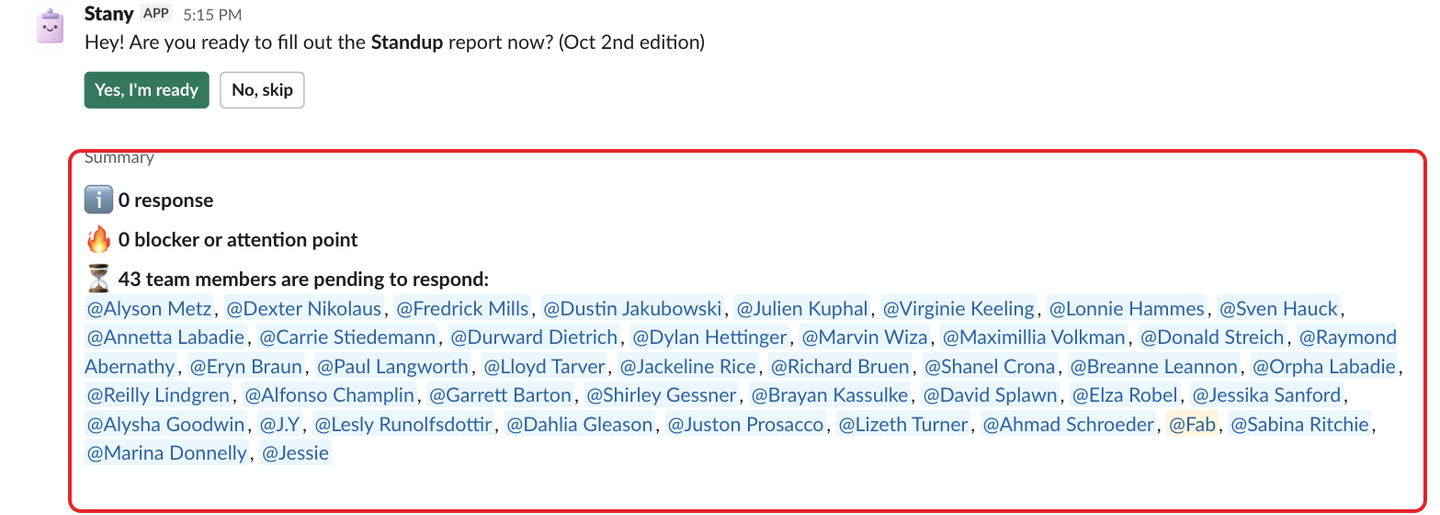
Under Summary, you see:
- ℹ️ Responses: how many people have answered.
- 🔥 Blockers or attention points: how many people said they're blocked, and "Reported by" with their names. Shown when the standup has a blocker question.
- 🚦 Current mood: how many people picked each mood, for example "😃 Great (2)". Shown when the standup has a mood question and someone answered it.
- ⏳ Pending to respond: the people who haven't answered or skipped yet. People snoozed until a date aren't listed.
The thread#
Each answer is a thread reply under the post, with the person's name and photo, one block per question. When someone edits their answer, their reply is updated in place. Skips show "Skipped for today" or "Skipped until" a date, with the reason.
For older days, see View past standup reports.