Answer your daily standup in Slack with Stany
Fill in your daily standup in Slack when Stany asks for it, in a short form with mood, progress and blockers, then find your answer in the channel thread.
 SlackUpdated Oct 5, 20262 min read
When your standup starts, Stany, the BuddiesHR async standup bot for Slack, asks for your update in a direct message and in the standup channel. You answer in a short Enter your Standup form, and Stany posts your answer as a thread reply in the standup channel under your name.
Step 1: Open the form#
You can start from three places:
- Your direct messages: Stany writes "It is time to fill out your Standup report". Click
✍️ Fill out now. - The standup channel: Stany posts "Hey! Are you ready to fill out the Standup report now?". Click
Yes, I'm ready. - Stany's Home tab: in
📋 Your latest Standup reports, click✍️ Fill out nowon the report.

Step 2: Fill in your answers#
The Enter your Standup form opens.
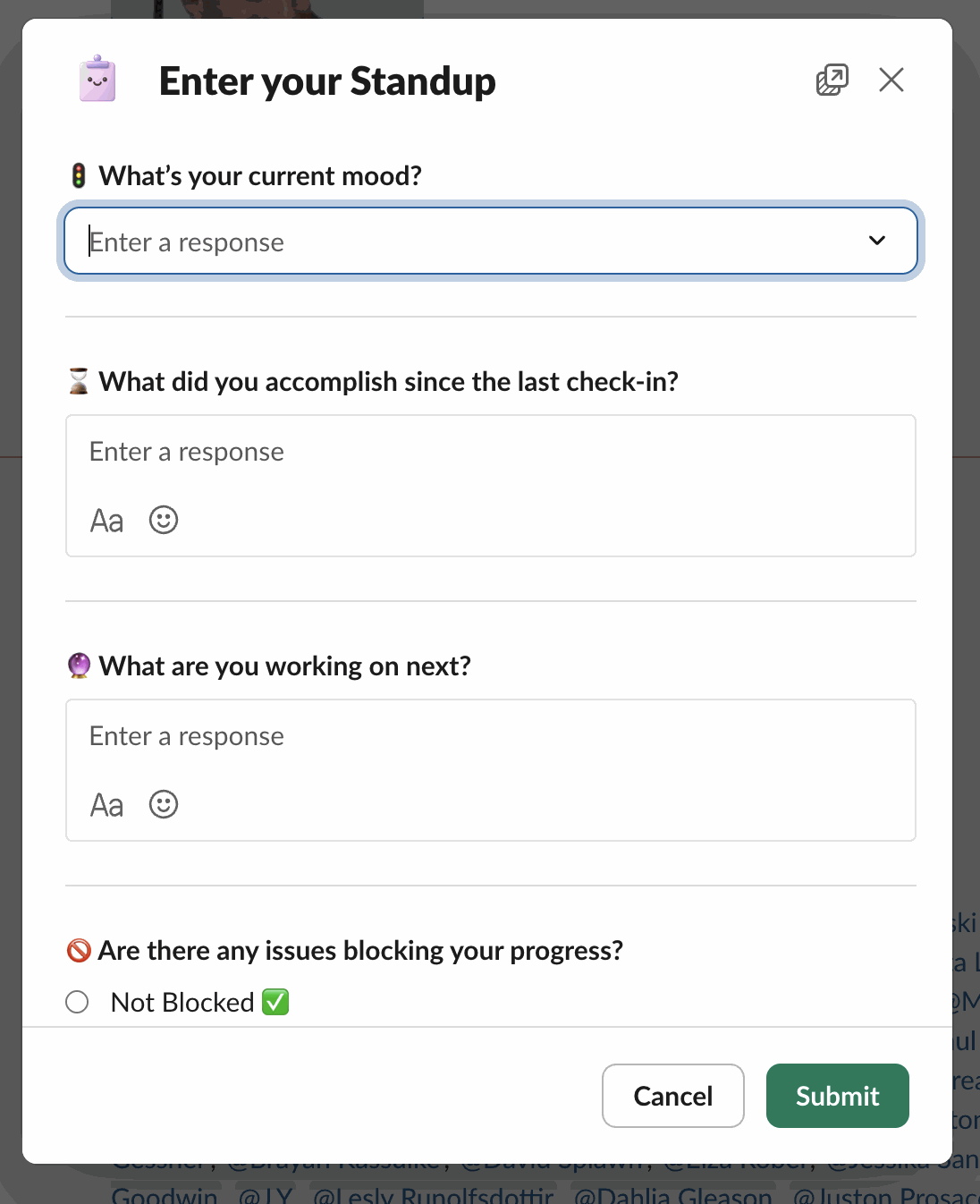
Each question type works differently:
- Open-ended: write freely. You can use bold, lists and mention colleagues. Questions marked optional can stay empty.
- Mood check: pick
😩 Very bad,🙁 Bad,😐 Okay,🙂 Goodor😃 Great, then add a few words if you like. - Blocker: choose
Not Blocked ✅orBlocked 🚫. If you're blocked, describe how the issue can be resolved: this description is required.
Click Submit.
Step 3: Find your answer in the thread#
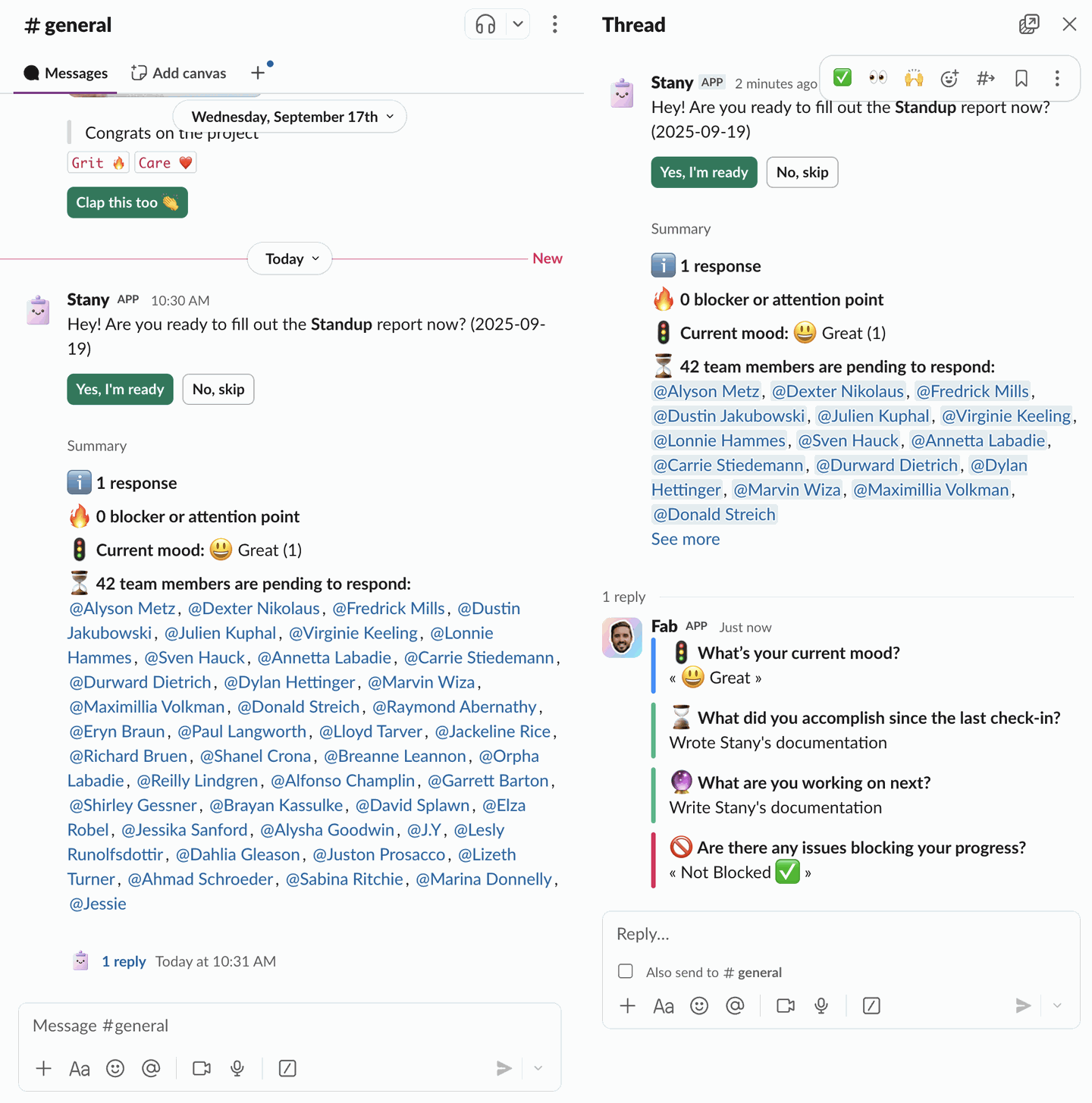
Your answer is added as a thread reply under the day's channel post, with your name and photo. The post's summary updates right away.
Before the deadline#
- You can change your answer until the report expires. See Edit or view a past answer.
- You can skip the day or snooze until a date. See Skip a standup.
- You can also answer from the web dashboard. See Check in from the web dashboard.
If you don't answer or skip, Stany sends the reminders your admin set up.