Stany not working? Fix common standup bot issues
Fix the most common Stany standup bot problems in Slack, from a silent private channel or a standup that didn't run to expired reports and outdated buttons.
 SlackUpdated Oct 5, 20262 min read
Most Stany issues come from channel access, the answer deadline or the free trial. Find your symptom below to fix Stany, the BuddiesHR async standup bot for Slack.
Stany doesn't post in a private channel#
Stany can't join private channels on its own. Invite it to the channel in Slack (for example, type /invite @Stany in the channel). In public channels, Stany joins by itself.
If you save a standup on a channel Stany can't use, the dashboard explains why, for example "Stany can't see "#team". It's either a private channel Stany hasn't been added to, or it no longer exists." Invite Stany or pick another channel, then save again.
Stany sent me a "tried to post" message#
When Stany can't post a standup in its channel, it sends each Stany admin a direct message, for example "⚠️ Stany tried to post a notification in #team, but the bot is not in the channel." The same message covers a channel that was deleted, archived, or where posting is restricted. Re-add Stany to the channel, or pick another channel with Edit channel settings (see Set up a standup).
A standup didn't run today#
Check, on the web dashboard's Settings tab:
- that today is one of the standup's days and the time has passed,
- that the card doesn't show "Paused until" (see Pause a standup),
- that no banner says the free trial has expired (see Understand Stany's free plan and trial).
The dashboard says Slack is disconnected#
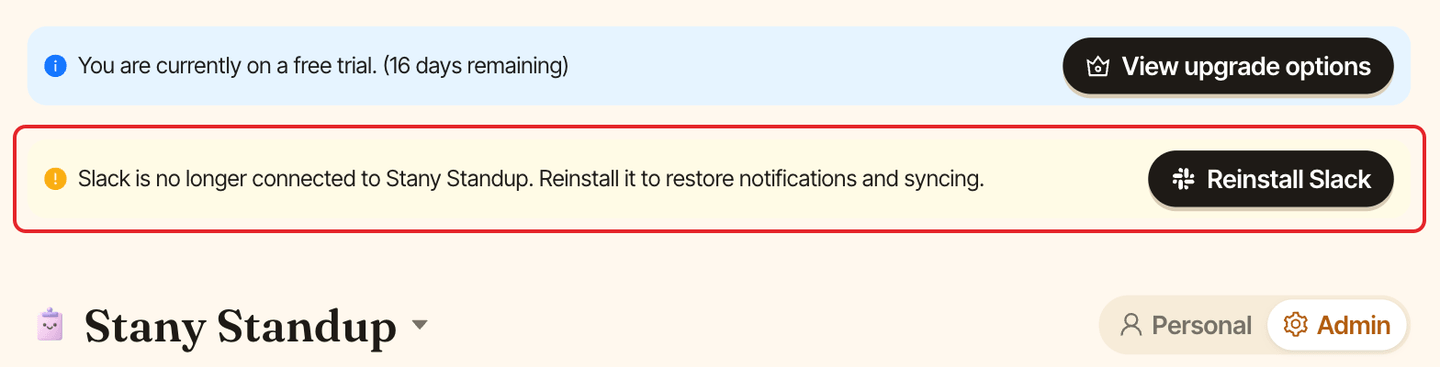
If Stany was removed from your Slack workspace, admins see a banner saying "Slack is no longer connected to Stany Standup", and Add standup, Edit channel settings and Submit are disabled. Click Reinstall Slack in the banner.
"You are not part of this standup."#
You clicked a button on a standup you don't take part in. Ask an admin to add you (see Choose who takes part in a standup).
"This report has expired. You can no longer submit or skip it."#
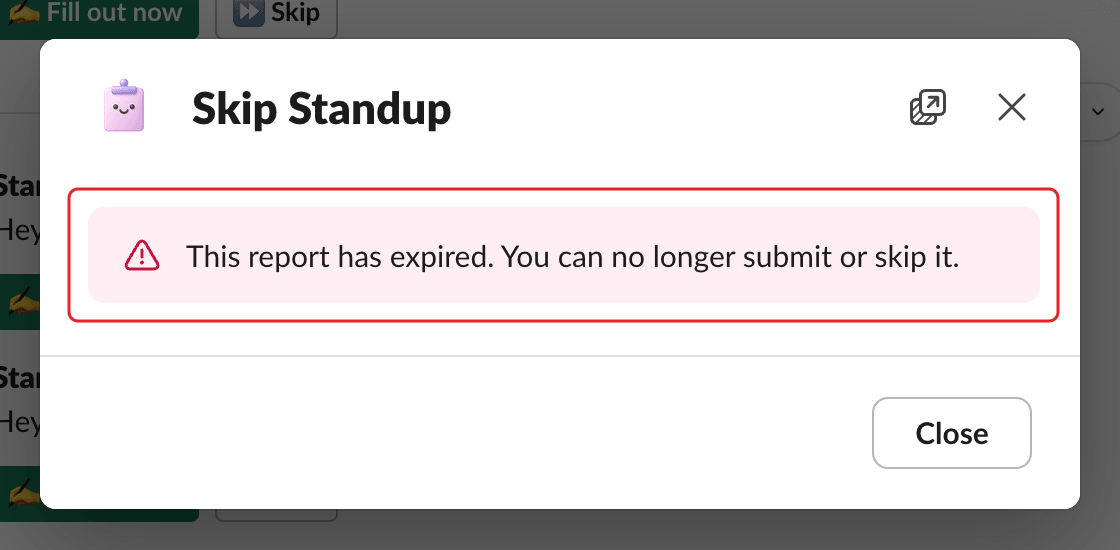
The answer deadline has passed. You can still view your answers if you sent them (see Edit or view a past answer). Admins can give more time with When should standup reports be submitted?.
"Outdated Message"#
Stany was upgraded to a new version, so buttons on standup messages sent before the upgrade no longer work. Use the buttons on the next standup message, or open Stany's Home tab.
I can't find the admin settings in Slack#
Standups are managed on the web dashboard. On Stany's Home tab, click Open dashboard ↗, or go to dashboard.buddieshr.com. Only Stany admins see the Admin view.
Does Stany work with Microsoft Teams?#
No. Stany works with Slack only.
Is there a slash command?#
No. Use the buttons in Stany's messages, its Home tab or the web dashboard.
Still stuck? Contact support.