Right where your team already is.
Nobody has to open a new tab to join in. Billy posts exactly where your team already spends their day, and nowhere else.
- ✓Setup in 3 minutes
- ✓Posts in Slack and Microsoft Teams
- ✓Web dashboard for Slack workspaces

 In Slack
 In Microsoft Teams
Every celebration, in one place.
Billy posts in chat. The dashboard is where you check what’s coming, keep everyone’s dates complete and decide how each channel celebrates.
Available for Slack workspaces. In Microsoft Teams, Billy keeps working as it does today.See every post before it goes out.
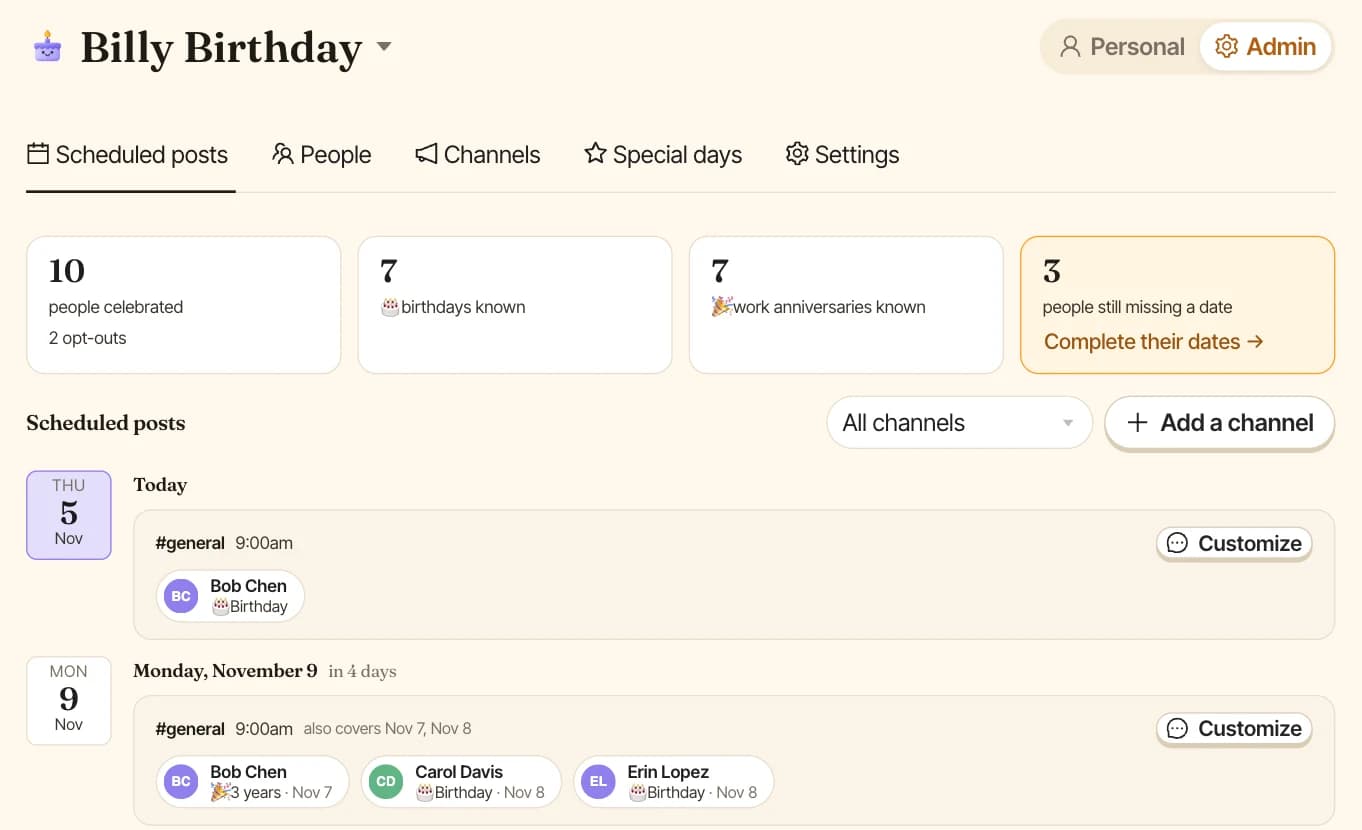
Who gets celebrated, in which channel and on what day, all on one timeline. Leave it to Billy, or make any single post your own.
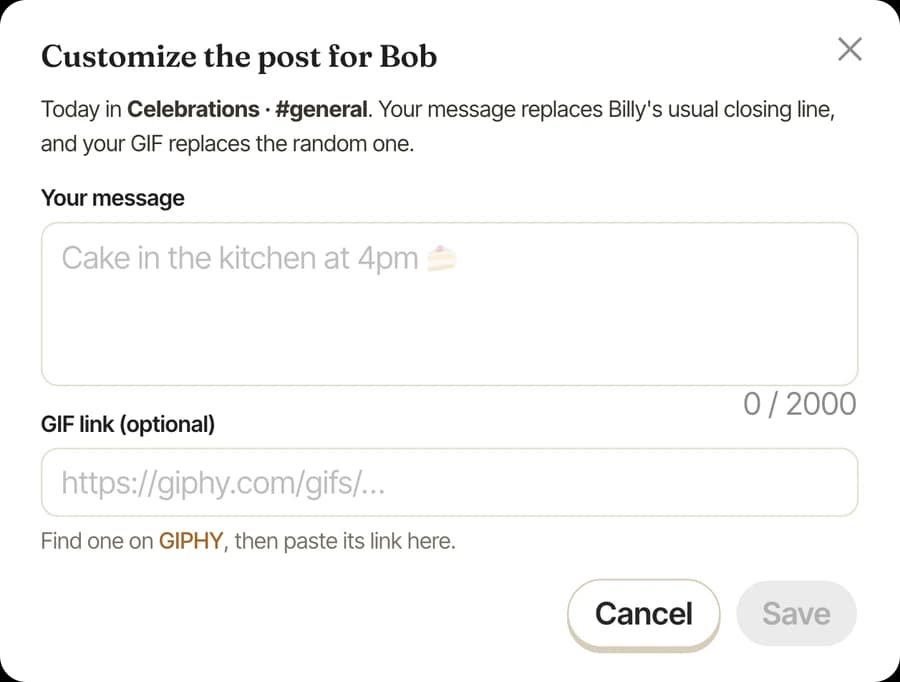
- ✓Add your own message or GIF to one post
- ✓See at a glance who’s still missing a date
- ✓Filter the timeline by channel
Everyone’s dates, in one table.
Spot the gaps and fill them in from the keyboard: click a date, type the month, press Enter, type the day, press Enter. Changes save as you go.
- ✓Import the .xlsx or .csv you already have
- ✓Check every change before it’s saved
- ✓Download who’s missing a date, fill it in, import it back
Every channel, its own rules.
One channel for the whole company, another for the Paris office. Each one decides who it celebrates, when it posts and how the post looks.
- ✓Post every day, once a week or once a month
- ✓Write in English, Spanish, Portuguese, French or German
- ✓Choose the layout, GIFs and @here or @channel mentions
- ✓Celebrate on the day, or move weekends to a working day
Milestones and days off, covered.
Add a company anniversary or a product launch, once or every year, and Billy celebrates it in the channel. Holidays you add are treated like a weekend.
- ✓Custom celebrations, one-off or yearly
- ✓Holidays for one channel or all of them
Every milestone, caught.
Small enough to feel light.
Deep enough to rely on.
Scheduled posts, a setup for each channel and dates from Linky are in the Billy dashboard, available for Slack workspaces.


Small moments, big belonging.
Before you ask.
How do I import birthdays?+
Billy auto-collects dates from your team, or you can bulk import via spreadsheet or HRIS sync.
Can I add or edit dates manually?+
Yes. Import a spreadsheet, have Billy ping the team to collect their own dates, or edit each event manually for full control.
Can I customize the copywriting?+
Yes. Billy posts warm, fun messages by default, and you can customize the copy for each celebration or write your own.
Does Billy handle work anniversaries too?+
Yes. Billy celebrates birthdays and work anniversaries automatically, and you can add any custom recurring event.
What about weekends and holidays?+
When a date lands on a weekend or public holiday, Billy can celebrate the Friday before or bump to the next working day.
Can people opt out?+
Anyone can opt out of being celebrated in one click, and Billy can be added to any public or private channel.
Does Billy have a dashboard?+
Yes. Slack workspaces get a web dashboard to see scheduled posts, manage everyone’s dates, set up channels and add special days. Everyone on the team also gets a personal page for their own dates and reminders.
Is the dashboard available in Microsoft Teams?+
Not yet. In Microsoft Teams, Billy keeps working as it does today, with its settings and commands inside Teams. The dashboard is available for Slack workspaces.